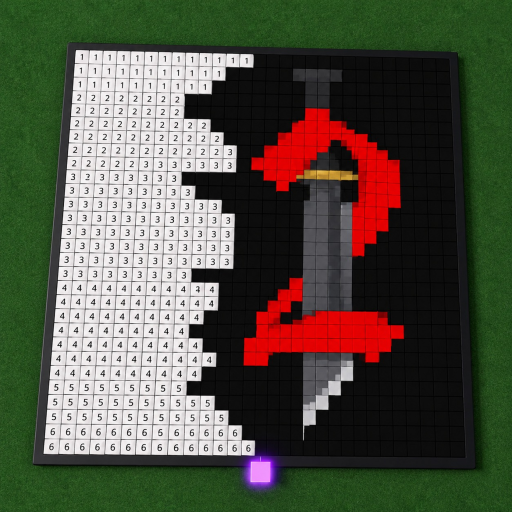
Player plot
An available plot anchors the player’s painting space. Exact claim-button labels are not documented.
The named mechanics that define the correct Paint a Game experience, with UI and capacity limits disclosed.
The verified system loop has five parts: claim a plot, search for a Roblox game icon, load it onto a canvas, recreate it block by block, and rely on advertised automatic saving. No official round or scored outcome system is documented. Multiplayer presence is confirmed, while its exact current capacity remains conflicted.
An available plot anchors the player’s painting space. Exact claim-button labels are not documented.
The creator describes searching for a favorite Roblox game and loading its icon as the canvas reference.
Players recreate the selected icon block by block. Official cover art shows a numbered grid, but no fixed dimensions are claimed.
Automatic saving is stated publicly; timing, confirmation signals, and recovery behavior remain unknown.
Players can paint alongside others. The current official description and API snapshot both report a six-player maximum; check the live server display because capacity can change.
All systems on this page belong to Universe 10440766252 by dilly dally games.
It is the player space claimed before using a canvas, according to the official description.
A Roblox game icon selected through the in-game search flow.
Automatic saving is advertised, but no interval or recovery guarantee is stated.
Yes. The current description and API snapshot both report six players, subject to live capacity changes.